
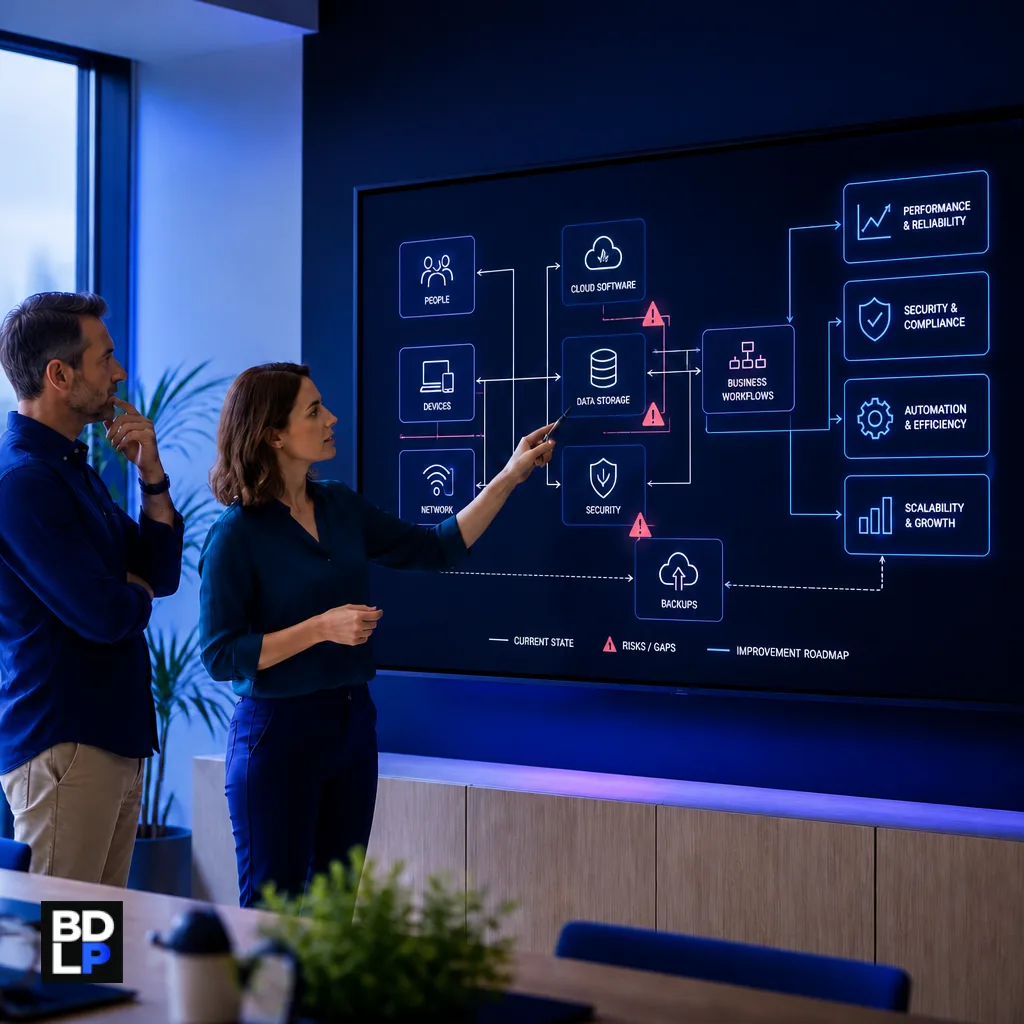
A technology audit checklist helps you answer a deceptively simple question: does your technology still support the way your business operates?
Most growing businesses do not design their technology environment in one sitting. They add an accounting package, CRM, shared drive, project platform, website, messaging tools and several spreadsheets as new needs appear. Each decision may be sensible on its own. Over time, however, duplicated subscriptions, forgotten accounts, inconsistent data and manual workarounds begin to accumulate.
A technology audit creates a reliable picture of that environment. It identifies what the business uses, how information moves, which systems are critical, where risks exist and what should be improved first.
This checklist goes beyond counting laptops. It covers the software, workflows, integrations, data, security controls, suppliers and continuity plans that keep a modern business operating.
Table of contents
- What is a technology audit?
- When should a business conduct a technology audit?
- Step 1: Define the audit scope and business priorities
- Step 2: Inventory hardware, software and suppliers
- Step 3: Review workflows and system integrations
- Step 4: Audit data, ownership and user access
- Step 5: Review security, updates and configuration
- Step 6: Test backups and business continuity
- Step 7: Review costs, contracts and vendor dependence
- Step 8: Turn audit findings into a practical roadmap
- Frequently asked questions
- Turn your technology inventory into a business roadmap
What is a technology audit?
A technology audit is a structured review of the systems, devices, data, suppliers and digital processes used by an organisation. Its purpose is not merely to find technical faults. It should show whether the technology is secure, cost-effective, maintainable and aligned with business objectives.
A useful audit should answer questions such as:
Which systems are essential to daily operations?
Who owns and administers each platform?
Are staff capturing the same information more than once?
Which subscriptions are unused or duplicated?
Can important data be restored after an incident?
What happens if a supplier, key employee or platform becomes unavailable?
Which processes are ready for integration or automation?
BDLP’s business systems consulting takes this wider view: understand how the business works before recommending another product or development project.
When should a business conduct a technology audit?
An annual review is a sensible starting point, but certain events should trigger an additional audit:
Rapid staff or client growth
A merger, acquisition or new branch
Frequent system outages or security concerns
Growing software subscription costs
A planned CRM, ERP or custom software project
Repeated manual reporting and data re-entry
Departure of a key employee who controls important systems
Changes to privacy, contractual or industry obligations
Do not wait for something to break. An audit is most useful while the business still has time to prioritise improvements instead of responding under incident pressure.
Step 1: Define the audit scope and business priorities
“Audit all our technology” is too broad to produce useful decisions. Begin by defining the outcome.
Examples include:
Reduce operational risk before opening a second location
Prepare for a new CRM or ERP implementation
Find unnecessary software spending
Improve backup and recovery readiness
Identify processes suitable for automation
Review access to customer and employee information
Identify the business processes that must continue for the organisation to operate: taking orders, serving customers, communicating with staff, invoicing, collecting payments and accessing essential records.
The audit should prioritise technology according to business impact. A small application used for every transaction may deserve more attention than an expensive platform used once a month.
Step 2: Inventory hardware, software and suppliers
You cannot assess what you do not know exists. Build a central inventory, even if the first version is a spreadsheet.
Hardware checklist
Computers, laptops and mobile devices
Servers, routers, firewalls and wireless equipment
Printers, scanners, point-of-sale devices and specialist hardware
Device owner, physical location and support status
Operating system, age, warranty and replacement date
Software checklist
Cloud subscriptions and installed applications
Licence count, plan, cost and renewal date
Business owner and technical administrator
Data stored or processed by the application
Integrations and dependent systems
Export options and cancellation requirements
Include unofficial tools. Staff sometimes open free accounts to solve urgent problems, creating “shadow IT” outside normal purchasing, backup and security processes.
The NIST Cybersecurity Framework 2.0 treats inventories of hardware, software, services, systems, data and suppliers as part of understanding organisational risk. That is a sound principle even for a small business without a formal security department.
Step 3: Review workflows and system integrations
A software inventory tells you what the company owns. A workflow review reveals how work actually gets done.
Choose several important journeys and follow them end to end:
Enquiry to sale
Sale to project or fulfilment
Project completion to invoice
Customer complaint to resolution
Employee onboarding and offboarding
Purchase request to approval and payment
Record every system, spreadsheet, email and manual handover involved. Ask staff where they copy information, wait for approval, reconcile conflicting records or create reports manually.
These are signs of an integration gap:
The same customer is created independently in several platforms
Staff export and import CSV files each week
Important status updates depend on someone sending a message
Reports require combining several spreadsheets
One failed sync can go unnoticed for days
Not every gap requires custom development. Some can be solved by configuration or a standard connector. Others need properly designed system integrations with ownership, monitoring and error handling.
Step 4: Audit data, ownership and user access
List the main types of information the business holds: customer details, financial records, employee information, contracts, project files and operational data.
For each category, establish:
Where the authoritative record is stored
Which other systems contain copies
Who owns the information
Who can view, edit, export or delete it
How long it is retained
How it can be recovered
Review current users and privileged administrators. Remove former employees, unnecessary shared accounts and permissions that no longer match a person’s responsibilities. Check whether onboarding and offboarding procedures cover every platform—not only email.
South Africa’s Protection of Personal Information Act requires reasonable safeguards for personal information and addresses responsibilities when an operator processes information on behalf of another organisation. This article is not legal advice, but personal information and supplier arrangements belong in any serious technology audit.
Step 5: Review security, updates and configuration
Check whether the following controls are in place and consistently applied:
Multifactor authentication for email, administration and remote access
Unique user accounts rather than shared credentials
Password-management tools and documented access recovery
Automatic or centrally managed software updates
Replacement plans for unsupported systems
Endpoint protection and device encryption
Secure configuration of cloud applications
Logging and alerts for important systems
The US Cybersecurity and Infrastructure Security Agency’s Secure Your Business guidance recommends controls including multifactor authentication, timely software updates and tested backups. These are useful baseline practices, although your industry may require additional measures.
BDLP’s web and infrastructure services cover areas including hosting, server management, security, WordPress maintenance and performance where an audit identifies operational weaknesses.
Step 6: Test backups and business continuity
A dashboard saying “backup successful” does not prove the business can recover. Select representative files and systems, then test restoration.
Document:
Which information is backed up
How frequently backups run
Where backup copies are stored
Who receives failure notifications
When a restore was last tested
How long recovery is expected to take
Consider continuity beyond data loss. What happens if there is no internet connection, the office is inaccessible, a cloud service fails or the only system administrator is unavailable?
For each critical process, identify a temporary manual procedure and the maximum disruption the business can tolerate. A continuity plan that exists only in the head of one employee is not a continuity plan.
Step 7: Review costs, contracts and vendor dependence
Compare software invoices with actual use. Look for inactive accounts, overlapping platforms, premium features nobody uses and subscriptions that continue after a project ends.
For important vendors, record:
Contract and renewal terms
Support contacts and response commitments
Data location and export process
Administrative ownership
Dependencies on proprietary formats or integrations
Exit and migration requirements
Price is only one part of cost. Include implementation, training, integrations, manual workarounds, maintenance and the impact of downtime.
The objective is not to remove every supplier dependency. It is to understand dependencies and avoid being surprised by them.
Step 8: Turn audit findings into a practical roadmap
An audit that ends with a long list of problems is incomplete. Convert findings into prioritised actions.
A simple scoring method can consider:
Business impact: What happens if the issue is ignored?
Likelihood: How likely is failure, loss or disruption?
Effort: How difficult is the improvement?
Dependency: Must another action happen first?
Owner: Who is accountable for completing it?
Separate the roadmap into immediate risks, short-term improvements and strategic projects. Enabling multifactor authentication may be immediate. Removing duplicate subscriptions may be short-term. Replacing a legacy operational platform may require a formal business case and phased project.
Selected examples of systems, platforms and infrastructure work can be viewed in the BDLP portfolio.
Frequently asked questions
How often should a small business conduct a technology audit?
An annual audit is a useful baseline. Review critical areas sooner after rapid growth, a security incident, major staff changes, an acquisition or a planned technology investment.
Is a technology audit the same as a cybersecurity assessment?
No. Cybersecurity is an important part of the audit, but a broader technology audit also covers costs, workflows, integrations, data quality, suppliers and alignment with business objectives.
Can a business perform its own technology audit?
An internal review can uncover many issues, particularly unused software and manual work. An independent consultant may add value where technical risk, architecture or supplier recommendations need objective assessment.
What documents should a technology audit produce?
Useful outputs include system and supplier inventories, process maps, data-flow notes, a risk register, prioritised recommendations and a roadmap with owners and target dates.
Does a technology audit require access to confidential data?
Not necessarily. The auditor may need configuration, access and process information, but data access should be limited to what the agreed scope genuinely requires.
What should happen after the audit?
Assign owners, approve priorities and track remediation. Repeat selected checks to confirm that fixes were implemented and remain effective.
Turn your technology inventory into a business roadmap
A technology audit should do more than identify old laptops and missing updates. It should reveal how systems support—or obstruct—the work your organisation depends on.
Begin with business priorities, inventory the environment, follow important workflows and examine data, security, recovery, costs and supplier dependence. Then turn the findings into a roadmap your team can execute.
BDLP helps growing businesses assess their systems, identify operational gaps and plan practical improvements across consulting, integration, software and infrastructure.