
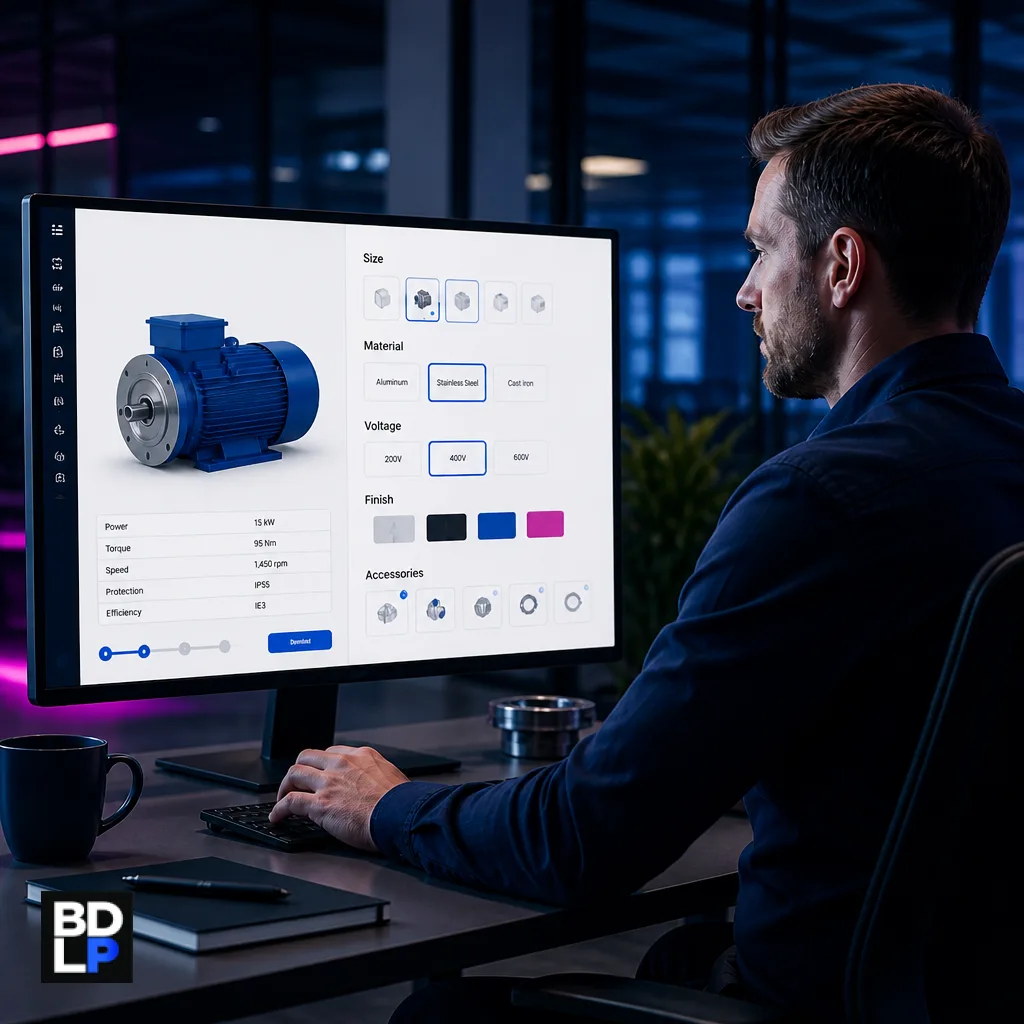
A PDF catalogue and a generic web shop cannot represent options, constraints, and B2B pricing. This guide explains when a manufacturer needs a product configurator or B2B ordering flow — and what to design before you build.
Many manufacturers still sell the way they always have: a salesperson, a PDF, a spreadsheet of options, and a promise to come back with a price.
A marketing website with product photographs does not change that. A generic shopping cart built for t-shirts does not either. The customer needs to choose size, material, voltage, finish, accessories — and the factory needs those choices to be valid.
A product configurator (often part of a B2B ordering or configure-price-quote flow) is software that walks the buyer through legal combinations, shows a price you can stand behind, and hands a clean specification to operations. This guide explains when a manufacturer needs that capability instead of a catalogue site or basic web shop — and what to design before anyone writes screens.
Key points
Build a configurator when options and constraints are the product, not when you only need a brochure.
The hard work is encoding rules (what cannot be combined), not a 3D viewer.
Decide whether the buyer is a trade customer (account pricing, quotes) or a public prospect — the interface is different.
Connect ERP and stock after the rules are right, not before.
Start with one product family. A catalogue of thousands of SKUs is not a first release.
Table of contents
- When a manufacturer needs a configurator: the short answer
- Catalogue site vs configurator vs ERP portal
- Signs the catalogue has stopped selling
- What a configurator actually encodes
- Trade buyers and public prospects need different interfaces
- When to integrate ERP and stock
- A sensible first version
- Mistakes that blow the budget
- Frequently asked questions
- Sell valid products, not pretty PDFs
When a manufacturer needs a configurator: the short answer
Keep a catalogue or brochure site when the range is simple, the buyer already knows the model, and sales is happy to finish the quote by phone. A standard e-commerce cart is enough when variants are few, every combination is legal, and the price on the site is the price you will honour.
Consider a configurator when the product is a system of options. Typical signs: some combinations cannot be manufactured; accessories depend on a frame, motor or voltage; list price is not the customer’s price; and the factory cannot build from a free-text email.
Configure, price, quote (CPQ) is a recognised software category for this problem. IBM’s overview of Configure, Price, Quote software describes CPQ as a way to automate configuration, pricing and quoting of complex products so buyers, sales staff and partners select valid combinations at an accurate price. You do not have to buy IBM’s product. You do have to treat configuration, price and quote as one process — not as a pretty product grid with a “contact us” button.
If your ERP already models the product well, you may only need a better web window onto that model. If the rules still live in a veteran’s head, no portal will save you until those rules are written down.
Catalogue site vs configurator vs ERP portal
These four things are often sold as “the website”. They are not interchangeable.
Catalogue / brochure site. The buyer finds the range, downloads a specification sheet, and calls sales. That is the right tool for brand, simple products and ranges where a human quote is expected.
E-commerce cart. The buyer picks a stock-keeping unit (SKU), pays, and the order is shipped. That is the right tool when variants are a small, valid matrix and stock is straightforward.
Configurator / B2B ordering flow. The buyer chooses options within rules, sees a price or requests a quote, and submits an order or enquiry that operations can actually build. That is the right tool when the product is a system.
ERP customer portal. The site exposes customer-specific pricing, order history and perhaps reorder from the enterprise resource planning (ERP) system. That is the right tool when the ERP already models the product and you only need a clearer window — not a second product model.
Manufacturing and industrial systems work at BDLP usually sits in the last two: custom software development around how you actually quote and fulfil, connected to the systems the factory already trusts.
A useful test: if a junior salesperson can produce an invalid order from the public site, you do not have a configurator. You have a form.
Signs the catalogue has stopped selling
If the only complaint is that the website looks dated, a redesign may be enough. If the pain is invalid orders, slow quotes and disputed prices, the catalogue has stopped doing commercial work.
Watch for these patterns:
Sales redraws the same option tree in email. Every enquiry restarts the conversation: “Will that motor fit the 900 mm frame?” The knowledge exists; it is just not encoded.
Customers order combinations you cannot manufacture. The site offered the tick boxes, so the customer ticked them. The factory then spends time explaining why the order is impossible.
Pricing lives in a veteran’s head or an unofficial spreadsheet. List price, discount bands, extras and freight are not in a system anyone else can audit. When that person is on leave, quotes stall or contradict each other.
Distributors need account-level prices the public site cannot show. Trade customers will not use a site that shows the wrong number — or a number their competitor can see.
Errors hit the factory floor as “that’s not how we build it”. The sales artefact (PDF, email, spreadsheet) does not match the bill of materials, routing or drawing the plant uses.
Quotes are lost because the PDF is out of date. Finish names change, a motor is discontinued, a constraint is added after a warranty claim — and the downloaded catalogue still offers the old combination.
None of those problems is solved by a new hero image. They are solved by rules, ownership and an output the factory recognises.
What a configurator actually encodes
A configurator is a rules engine with a storefront. The storefront is the visible part. The rules are the product.
Capture, with the people who actually know, not only with marketing:
Option groups — size, finish, power, accessories, packaging.
Constraints — this motor cannot pair with that frame; this voltage excludes that controller; this colour is only available above a minimum quantity.
Defaults and recommended packages — a valid starting point so the buyer is not staring at a blank form.
Price logic — list, discount bands, extras, and freight only if you are prepared to stand behind the number.
Outputs — a specification the customer can save, a sketch of the bill of materials, ERP item codes, and a sales record that does not require retyping.
If engineering and sales disagree about those rules, the website will pick a side at random. Business systems consulting is the step that interviews those teams together, writes the rules in a table humans can review, and only then decides what to build.
Write the rules in language the factory uses. If engineering says “frame 90 / motor class B” and the website says “Large / Power Pack 2”, you have created a translation layer that will drift. Marketing names can appear on the label; the codes that hit production should stay stable.
A first workshop should produce three artefacts: a constraint table, a price table (even if some cells are “request quote”), and a sample output that sales already recognises. Until those exist, screen design is decoration.
Trade buyers and public prospects need different interfaces
Logged-in trade buyers need their price list, saved configurations and reorder. They will tolerate a denser interface if it is faster than emailing a representative. They will not tolerate seeing a public list price that undercuts their agreement — or a public price that is higher than the deal they already have.
Public prospects need guidance and a short path to a quote. They will not complete a forty-step form designed like an internal ERP screen. They need recommended packages, clear “not available with this selection” messages, and a way to save a configuration without creating an account on the first click.
Do not launch one interface for both unless the product is simple. A common failure is to expose the internal configurator to the public because “the logic is already there”. Internal tools assume training, part numbers and patience. Public tools cannot. Distributors who configure on behalf of end customers are a third role: trade price, their own accounts, and no view of another distributor’s book.
Mobile matters. Many trade buyers are on site with a phone. A first version that only works on a wide desktop will be ignored in the field.
When to integrate ERP and stock
ERP and system integration is valuable when item codes, value-added tax, credit limits and stock must match the factory system. It is a trap as a first milestone.
Get the rules and the quote output right in a controlled environment. Then map codes. Connecting a confused option tree to an ERP simply produces confused orders faster. That is the same failure mode described in Why Generic Integration Tools Fall Short — and When Custom Systems Make Sense: a connector does not fix a process the business has not defined.
If the ERP already has a strong configurator, you may only need a better web layer. That is a build-versus-buy decision, not a branding decision. Buy the commodity pieces (accounting, payments, identity). Build the option logic only if no product models it cleanly.
Stock is a separate question from configuration. A valid build that is out of stock is still a valid build — it should become a lead time or a “we will confirm” quote, not a silent invalid combination. Parts come back into stock; illegal combinations do not become legal.
The GOV.UK guidance on choosing technology recommends minimising total cost of ownership, retaining control of data and considering vendor lock-in. Those principles apply here: a packaged CPQ that cannot express your constraints will cost more in workarounds than a smaller custom rules layer beside the ERP you already run.
A sensible first version
Do not start with the whole catalogue. Start with the product family that causes the most quote pain.
A first release that usually works:
One product family with known invalid combinations and at least one person who can judge whether a spec is buildable.
Rules in a reviewable table, not only in code. When the product changes, a product owner must be able to see what will change on the site.
Price or “request quote”, not every payment gateway on day one. Many manufacturers should collect a clean enquiry before they collect a card.
An output sales already recognises — the same headings, codes and notes that currently go to the factory.
A measured outcome you can verify — fewer invalid enquiries, faster quote turnaround, fewer factory queries on submitted specs. Do not treat “online revenue” as the success metric until the flow is trusted.
BDLP’s process starts with the operation, then the software. Skip that order and you get a beautiful path through the wrong rules. Plan ownership before launch: if nobody owns the rule table, the configurator will be out of date within a season and sales will go back to email.
Mistakes that blow the budget
Starting with a 3D visualiser before rules exist. Visualisation is expensive and convincing. It does not tell the factory whether the selected axle fits the housing.
Modelling the entire catalogue “while we are in there”. Scope expands from one painful family to thousands of SKUs. The project stalls on the easy products and never ships the hard one.
Letting marketing invent option names that engineering does not use. The site and the plant become two languages. Every order needs a translator.
No owner for rule updates after launch. A configurator is an operational system, not a brochure you publish once.
Forgetting mobile, or loading payments, freight and every ERP module into the first slice. The first slice must produce a valid spec. Encode known manufacturing rules as rules — a language model should not invent a build the plant cannot make.
These mistakes share a cause: starting from the storefront instead of from the constraint table.
Frequently asked questions
Is this the same as a WooCommerce variable product?
Only if variants are a small, valid matrix. WooCommerce’s variable product documentation describes generating variations from attribute values (for example size and colour) and notes that storefront behaviour changes when a product has more than thirty variations. Once combinations explode, or some combinations are illegal, maintaining a full variant matrix becomes a mess: you either generate invalid SKUs or you spend the week disabling them by hand. That is the point at which a rules engine earns its place.
Should we buy a CPQ product instead of building?
Buy when a reputable product already models your constraints, pricing and quote workflow well enough that you will not spend the next two years fighting it. Build a focused configurator when the rules are specific to how you manufacture and no package expresses them cleanly. Many businesses need a hybrid: packaged commerce or ERP plus a custom rules layer.
Do we need AI?
Not to encode known manufacturing rules. Use rules. Search, recommendations or a natural-language helper can come later, and only as a guide into valid options. An invalid but fluent specification is worse than a slow quote.
How long does this take?
The software is rarely the long pole. Agreeing rules and price logic is. Budget workshop time with engineering and sales before anyone designs screens. A single product family with a reviewable rule table can be a bounded first slice. “The whole catalogue, 3D, live stock, payments and distributor portals” is not. A configurator will not replace sales; it should stop sales redrawing the same option tree so judgement is spent on the deals that need it.
Sell valid products, not pretty PDFs
A configurator earns its keep when every submitted specification could be built, priced and scheduled. The catalogue site can still do brand. The cart can still sell simple SKUs. The configurator exists for the product families where options are the product.
If you can already name the family that causes the most quote pain, bring a real example — the messy one, not the brochure — and we can look at whether a first slice is a rules table, a web layer on the ERP you already have, or a small custom flow.
Book a strategy session about B2B ordering or a configurator